Pixel CEOYour AI company in a pixel art office

Sections

Download · Pixel Code 0.3.5

Install Pixel Code. Type pxc and get started.

One command installs everything. Sign in to your Pixel account in the browser, then open Pixel Code inside your project.

irm https://code.pixel.ceo/install.ps1 | iex

Choose your system. Node.js included · npm: 24+

Node.js
Included; npm needs 24+
Windows
x64
macOS
Apple Silicon and Intel
Linux
x64 and arm64
PowerShellinstalling

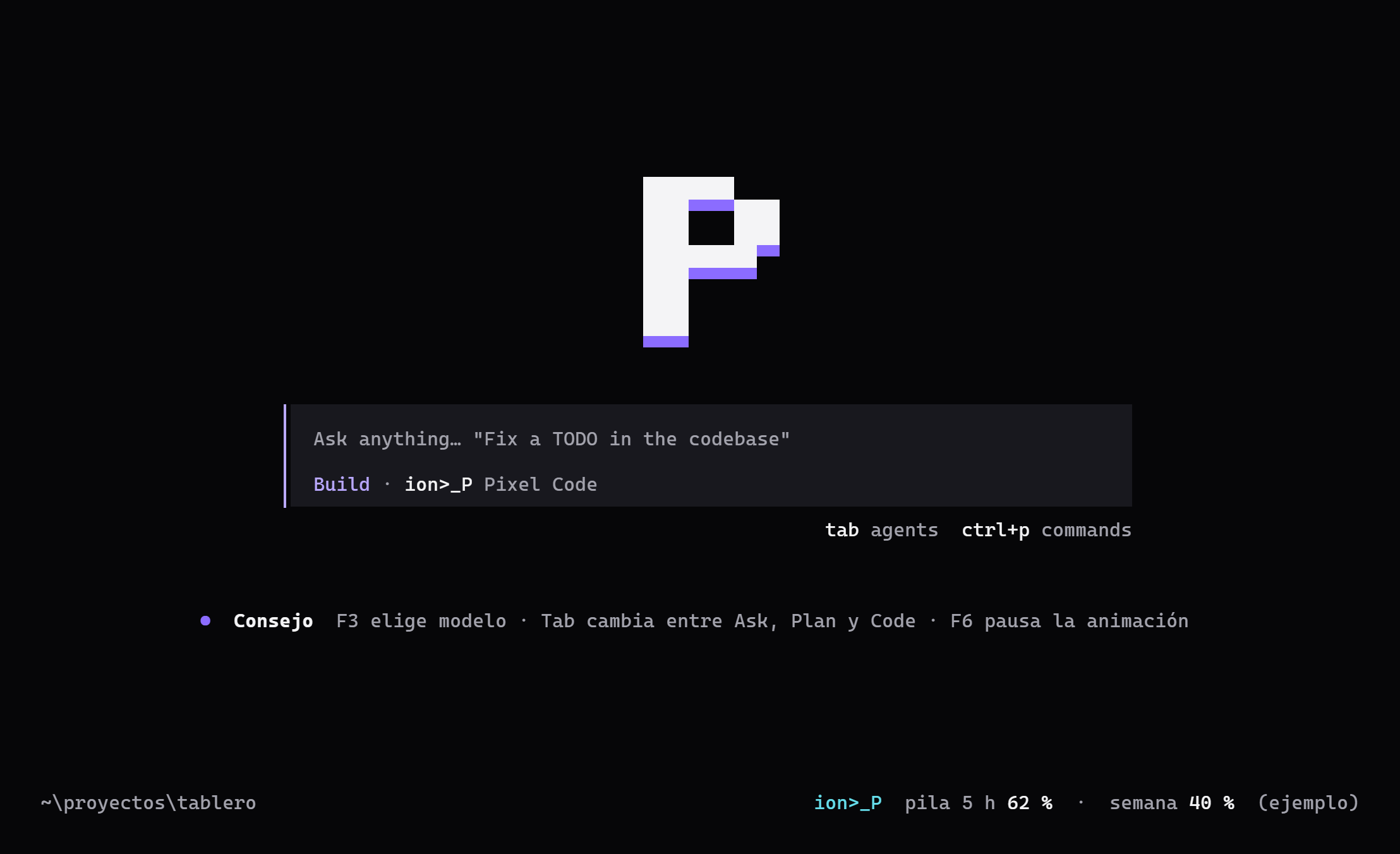
designWatch the installation finish on the real Pixel Code 0.3.0 Home screen, with the rotating 3D P. Example stack figures.

  1. 01InstallOne command. The engine downloads once and is verified.
  2. 02pxc loginApprove access with your Pixel account in the browser. Your key is stored encrypted.
  3. 03pxcType it inside your project folder. The P welcomes you.
Changelog

Every release, another frame of the P.

Newest first. Each release moves the P one frame further through its rotation.

frame 06

0.3.5

current
Pin this versionnpm i -g pixelcode@0.3.5

Pixel Code opens in your home folder and keeps writing after an interruption.

In your terminal

  • Opens in your home folder and searches or reads files like other agents, with secrets always blocked.
  • After an interruption you can keep writing in the same session.
  • The home screen adapts when you resize the window.

Built for creating

  • Native one-line installation without Node.js; npm remains an alternative.

Your models

ion>_Paxion>_PZenGoYour own APILocal models
frame 05

0.3.4

Pin this versionnpm i -g pixelcode@0.3.4

Receipt polling backs off when the server does not offer receipts yet.

In your terminal

  • Open sessions stop polling for receipts nonstop when the server does not support them yet: they check every ten minutes and space out retries.
  • Less traffic and less battery; protection against duplicate charges is kept.

Built for creating

  • Native one-line installation without Node.js; npm remains an alternative.

Your models

ion>_Paxion>_PZenGoYour own APILocal models
frame 04

0.3.3

Pin this versionnpm i -g pixelcode@0.3.3

Pixel models now respond in installed copies.

In your terminal

  • ion>_P and axion>_P now respond in native and npm installs: every message used to end in “gateway_error”.
  • Pixel Code protections (files limited to the project and tool review) are active in installs.

Built for creating

  • Native one-line installation without Node.js; npm remains an alternative.

Your models

ion>_Paxion>_PZenGoYour own APILocal models
frame 03

0.3.2

Pin this versionnpm i -g pixelcode@0.3.2

Connecting your own API key no longer closes Pixel Code.

In your terminal

  • Connecting a key from /conectar → Your own API (for example, Go) no longer closes Pixel Code: the session stays open and the key is saved.
  • The Windows install command works again in PowerShell.

Built for creating

  • Native one-line installation without Node.js; npm remains an alternative.

Your models

ion>_Paxion>_PZenGoYour own APILocal models
frame 02

0.3.1

Pin this versionnpm i -g pixelcode@0.3.1

More reliable startup and clear messages if the engine connection fails.

In your terminal

  • Fixes an intermittent failure when opening Pixel Code: the engine could start on a port the system does not allow.
  • If the engine connection fails, you will see a clear message explaining the cause, and pxc doctor will point you to the diagnostic log.

Built for creating

  • Native one-line installation without Node.js; npm remains an alternative.

Your models

ion>_Paxion>_PZenGoYour own APILocal models
frame 01

0.3.0

first public release
Pin this versionnpm i -g pixelcode@0.3.0

The first public release: your terminal with the P, your stack at a glance, Studio to build and review, and the models you already use.

Home with the P
Home with the rotating 3D P
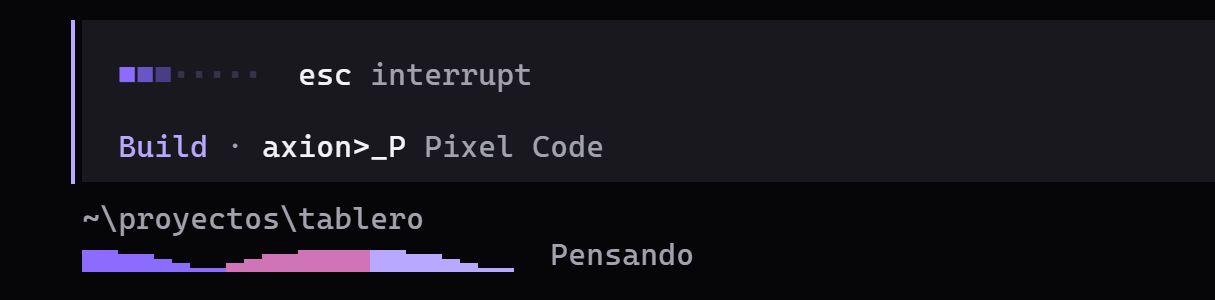
Session wave and stack in the sidebarSession wave and stack in the sidebar
Session with a synthwave wave and your stack
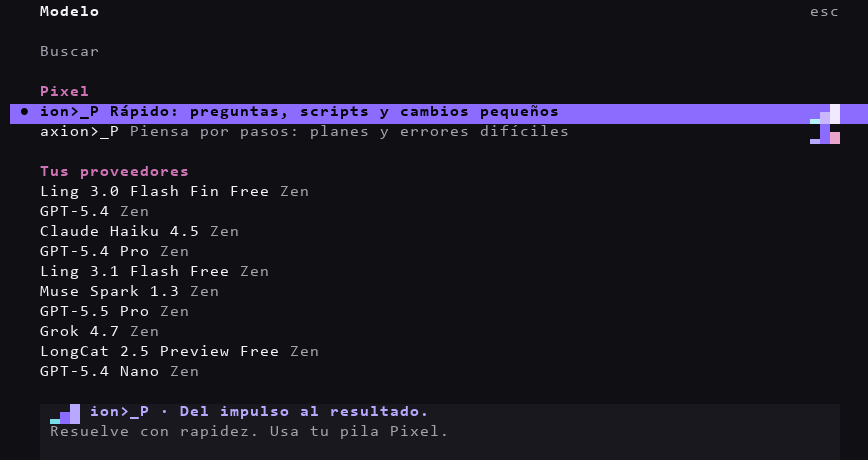
F3 selector with model details and Zen
F3 model selector with details
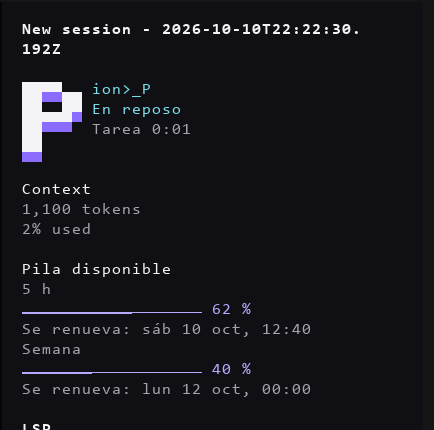
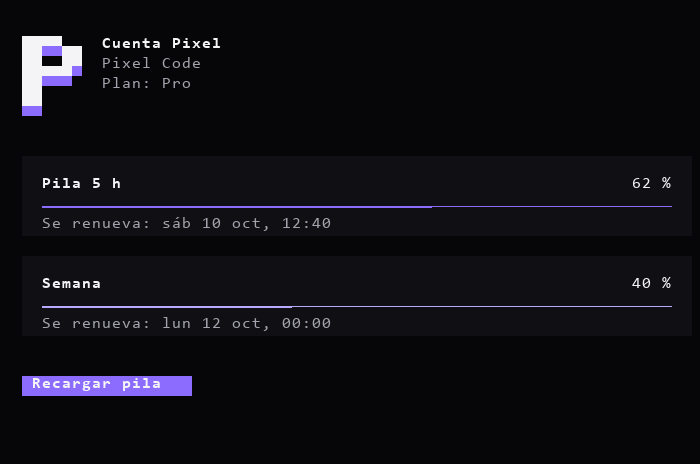
Account and stack in F2; example figures
F2 your account and your stack

In your terminal

  • Home welcomes you with the rotating 3D P.
  • A synthwave wave during sessions, with your stack in the sidebar.
  • Press F3 to choose a model and read its details.
  • Your account is one key away with F2.
  • Sign in to your Pixel account in the browser with pxc login; your key is stored encrypted.
  • Clear alerts when your stack runs out, including the time it renews.

Built for creating

  • Studio: create, preview, verify and review in the browser at 360, 768 and 1440 px.
  • Delivery waits for your approval: /aprobar or /rechazar.
  • Checkpoints and memory.
  • CÓDICE: the quality seal that checks builds, types, lint, tests, coverage and security before delivering a change.

Your models

ion>_Paxion>_PZenGoYour own APILocal models
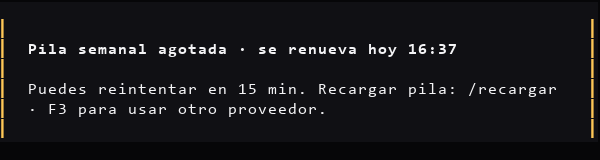
Weekly stack exhausted alert with renewal time
Pixel Code 0.3.5

Ready for your project.

irm https://code.pixel.ceo/install.ps1 | iex

Choose your system. Node.js included · npm: 24+

Next: pxc login and pxc inside your project.